Check answer sheets on screen. Faster, fairer, and fully tracked.

Next OSM helps you check paper answer sheets on a computer. Scan the papers, give them to examiners, check the quality, and publish results. Every step is recorded.

Universities Exam boards Assessment centers Multi-center exam operations

From paper to result

Six simple steps, with a record at each one

  1. 1 Receive

    Log sealed answer-sheet bundles from each exam center.

  2. 2 Scan

    Scan every booklet, or upload scans in bulk.

  3. 3 Check quality

    Find blurry or missing pages before marking starts.

  4. 4 Assign

    Send scripts to examiners, with fair workloads.

  5. 5 Mark on screen

    Examiners give marks on the computer, question by question.

  6. 6 Publish results

    Marks add up automatically and results are ready to publish.

Problems we solve

Common headaches for exam offices—and how Next OSM helps in plain terms.

inventory_2

They lose track of physical answer-sheet packets after exams.

Solution

Register each sealed bundle, print barcodes, record when it is sent and received, and log who moved it and where it is stored.

scanner

Scanning is slow and bad scans waste marker time.

Solution

Support busy scan desks, bulk upload of folders or ZIP files, an optional desktop Scan Agent that auto-uploads from a scan folder, plus a quality-check step before marking starts—including fixing or rescanning problem pages.

assignment_ind

Assigning scripts to teachers is messy and unfair.

Solution

Show clear work queues, assign scripts by hand, use marker teams and multi-step marking plans (for example: first marker → senior review → sign-off), and support double marking when policy requires it.

fact_check

They cannot prove how a final mark was reached.

Solution

Follow defined steps for each script, keep an audit trail, export results to Excel, and optionally let students see published scores online.

payments

Paying external markers is based on guesswork.

Solution

Set pay rates per marker, preview amounts before payment, approve a payment batch, and export files finance can use—based on scripts actually marked in the system.

Everything you need, step by step

Nine parts of Next OSM that take you from exam setup and sealed packets to published results, marker payments, and a full audit trail.

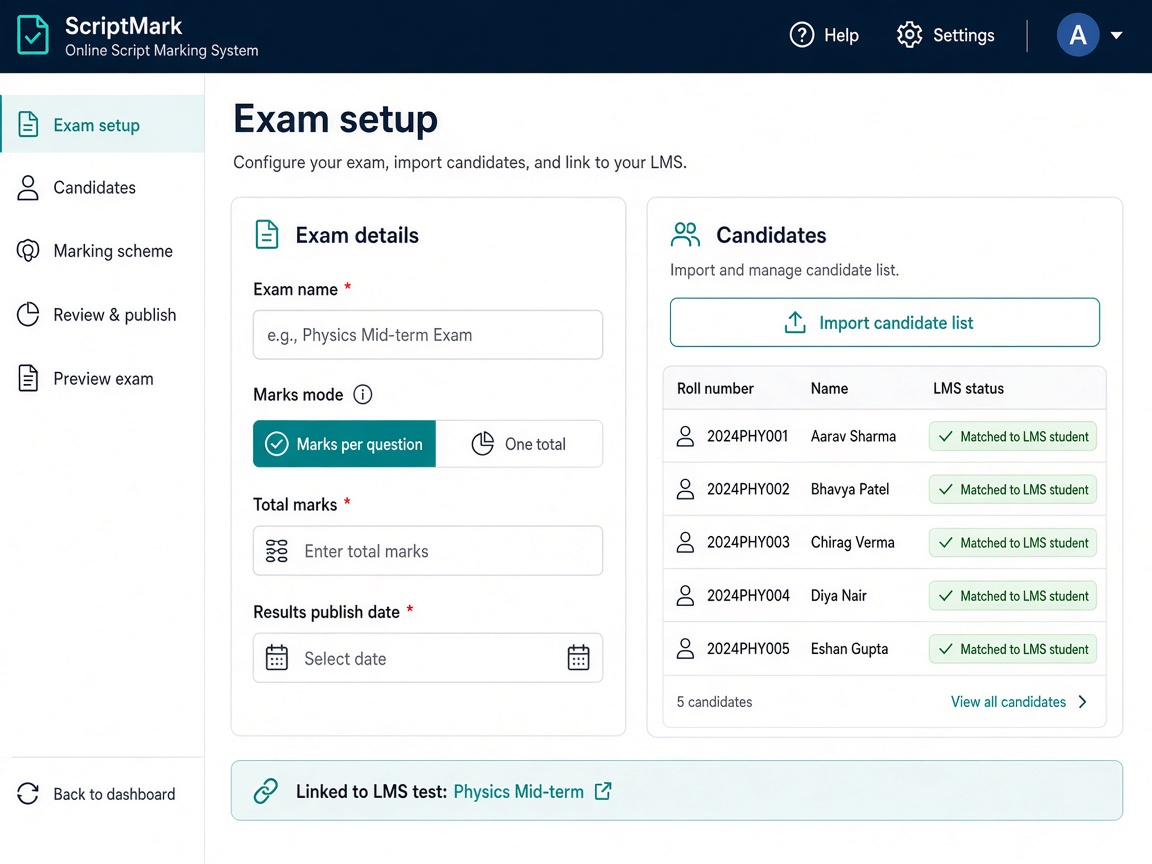
Exam setup screen with marks mode, publish date, and candidate import matched to LMS students
tune

Set up exams and candidates

Create each exam, choose how marks are given, import your candidate list, and decide when results can be published. Link an exam to a test you already run in Next Learner LMS.

  • Marks per question, or one total for the paper
  • Choose when results are published
  • Import a candidate list and match it to your LMS students
  • Link an exam to an existing LMS test
Learn more arrow_forward
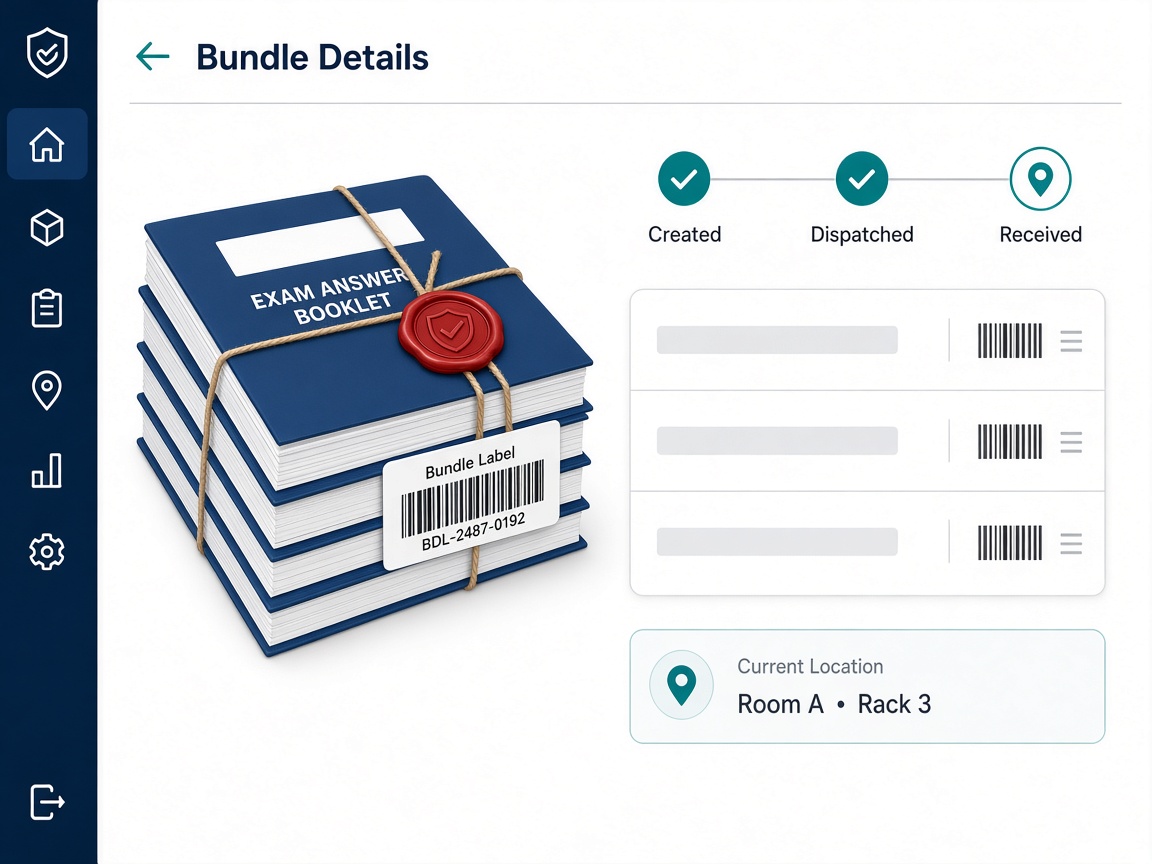
Tracking a sealed bundle of exam answer booklets from created to received
inventory_2

Track sealed bundles and booklets

Set up exam centers, register sealed packets, print barcodes, and know what has been sent, received, and stored—before scanning starts.

  • Organizations and exam centers for multi-center exams
  • Bundle statuses: created, dispatched, received
  • Barcodes for outer bundles and individual booklets
  • Store rooms, racks, scan-to-move, and custody history
Learn more arrow_forward
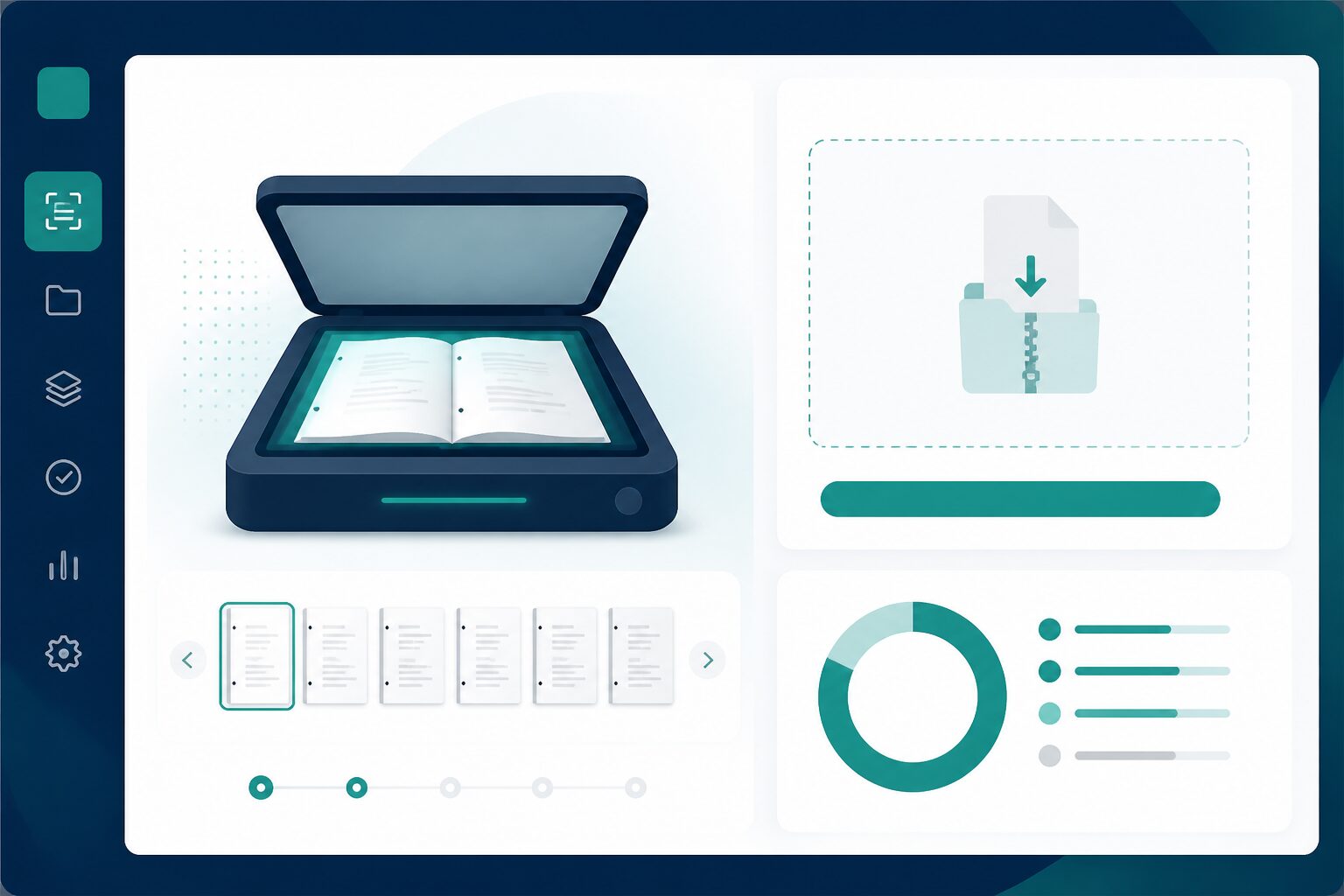
Script scanning and upload interface
scanner

Get answer sheets into the system

After Next Scanning exports packages ready for OSM upload, complete digital intake here—then OSM QC, QC approval, and evaluation workflows.

  • Digital upload after Next Scanning export (physical ops are separate)
  • ZIP or folder upload (one folder per candidate script)
  • Optional Scan Agent for automatic upload from a watch folder
  • Quality desk, page issues, and rescan before marking
Learn more arrow_forward
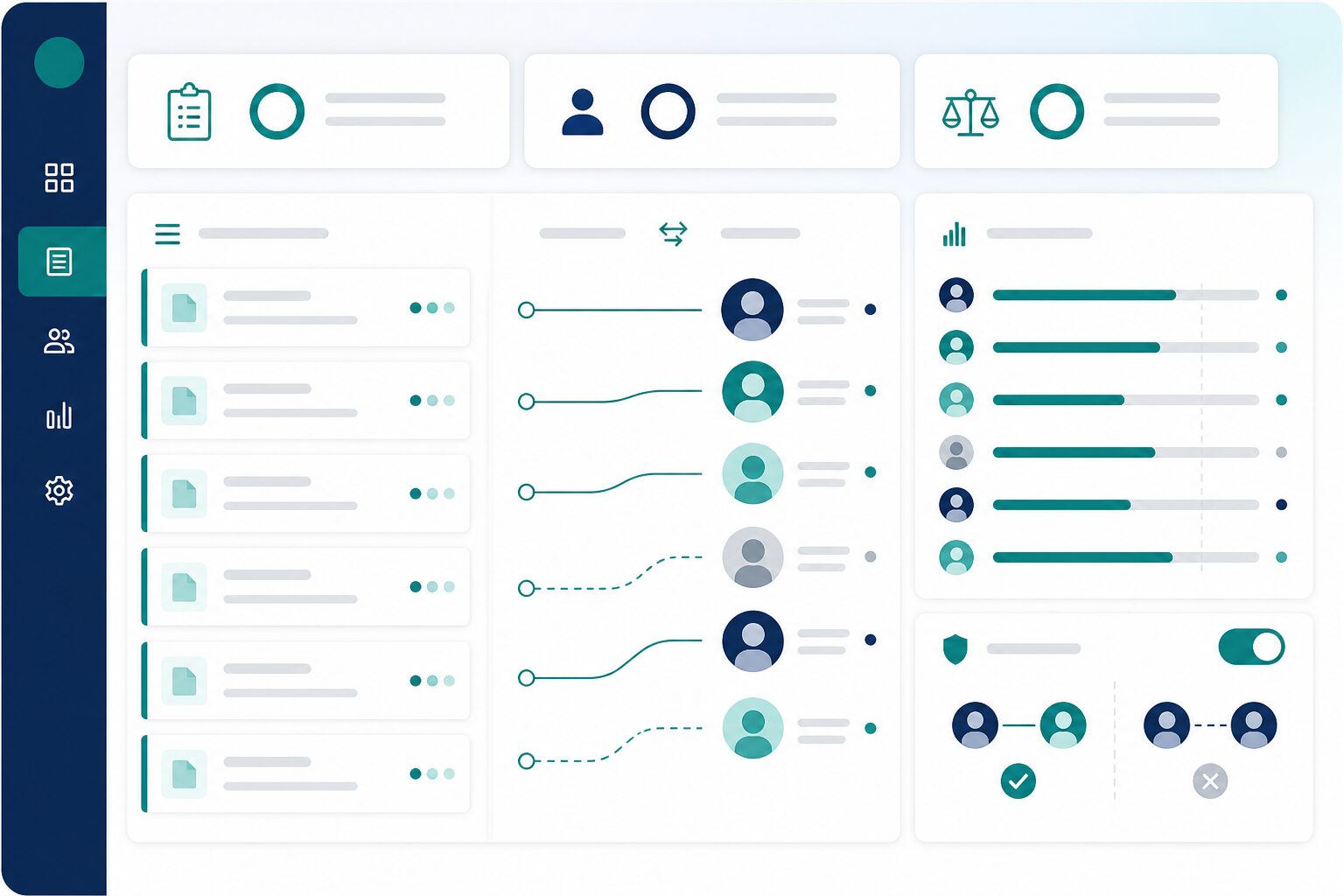
Marker allocation workflow
assignment_ind

Assign work fairly and run marking plans

Show clear queues, assign answer scripts by hand, build marker teams and step-by-step marking plans, and support double marking when your policy requires it.

  • Manual assignment with visible workloads
  • Marker teams and step-by-step marking plans, with email alerts
  • Double marking: two at once, or one after another
  • Moderation queue when two marks disagree
Learn more arrow_forward
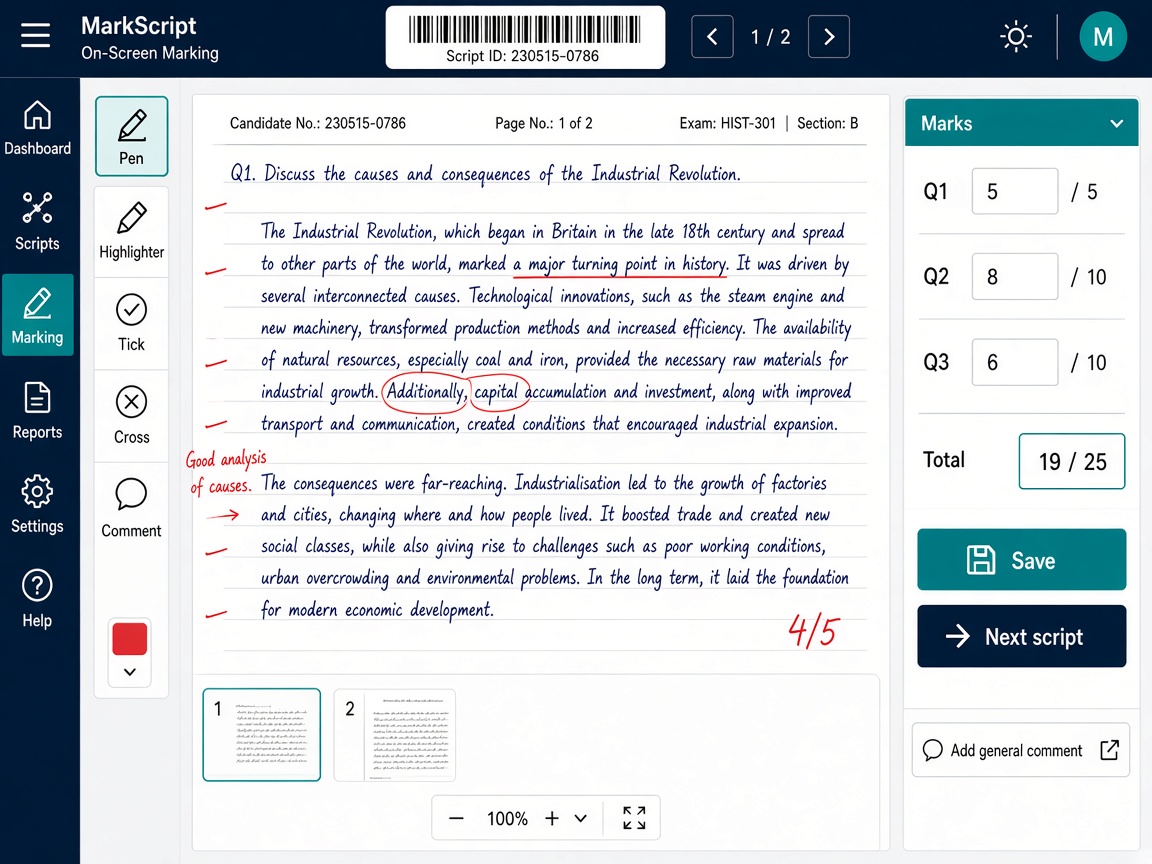
Examiner marking a scanned handwritten answer sheet on screen
draw

Mark handwritten answers on the computer

Examiners read scanned handwritten answer sheets on screen, write notes on the page, enter marks per question or one total, save and continue later, and send a script back to quality check if needed.

  • Read handwritten answers on screen and write notes on the page
  • Marks and comments per question, or one total for the paper
  • Watermark, print lock, and optional office IP limits
  • Controlled recheck after results are published
Learn more arrow_forward
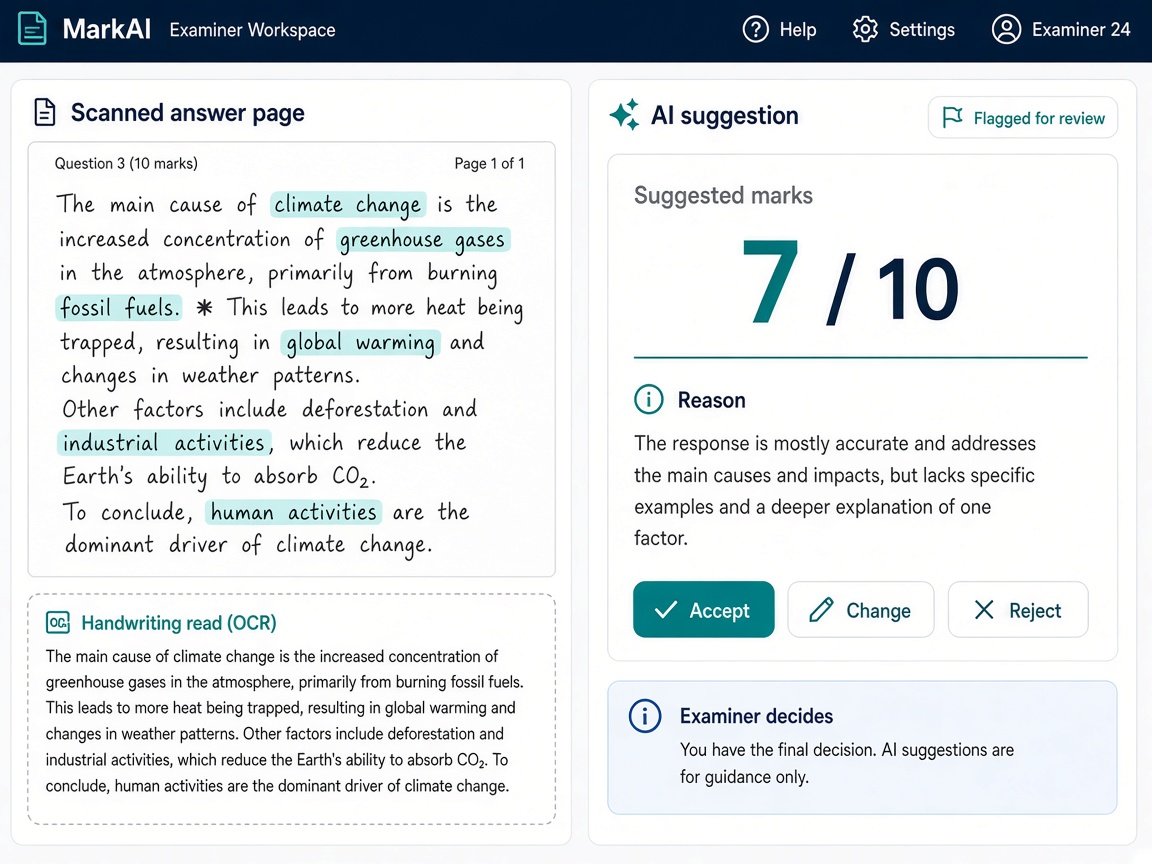
Scanned handwritten answer with OCR text and an AI mark suggestion the examiner can accept, change, or reject
auto_awesome

Read handwriting and get AI help

Turn long handwritten answers into readable text, and get optional AI suggestions for marks. The examiner always decides.

  • Handwriting reading (OCR) for long answers
  • AI suggests marks and gives a short reason
  • Scripts that need a closer look are flagged
  • Examiner can accept, change, or reject every suggestion
Learn more arrow_forward
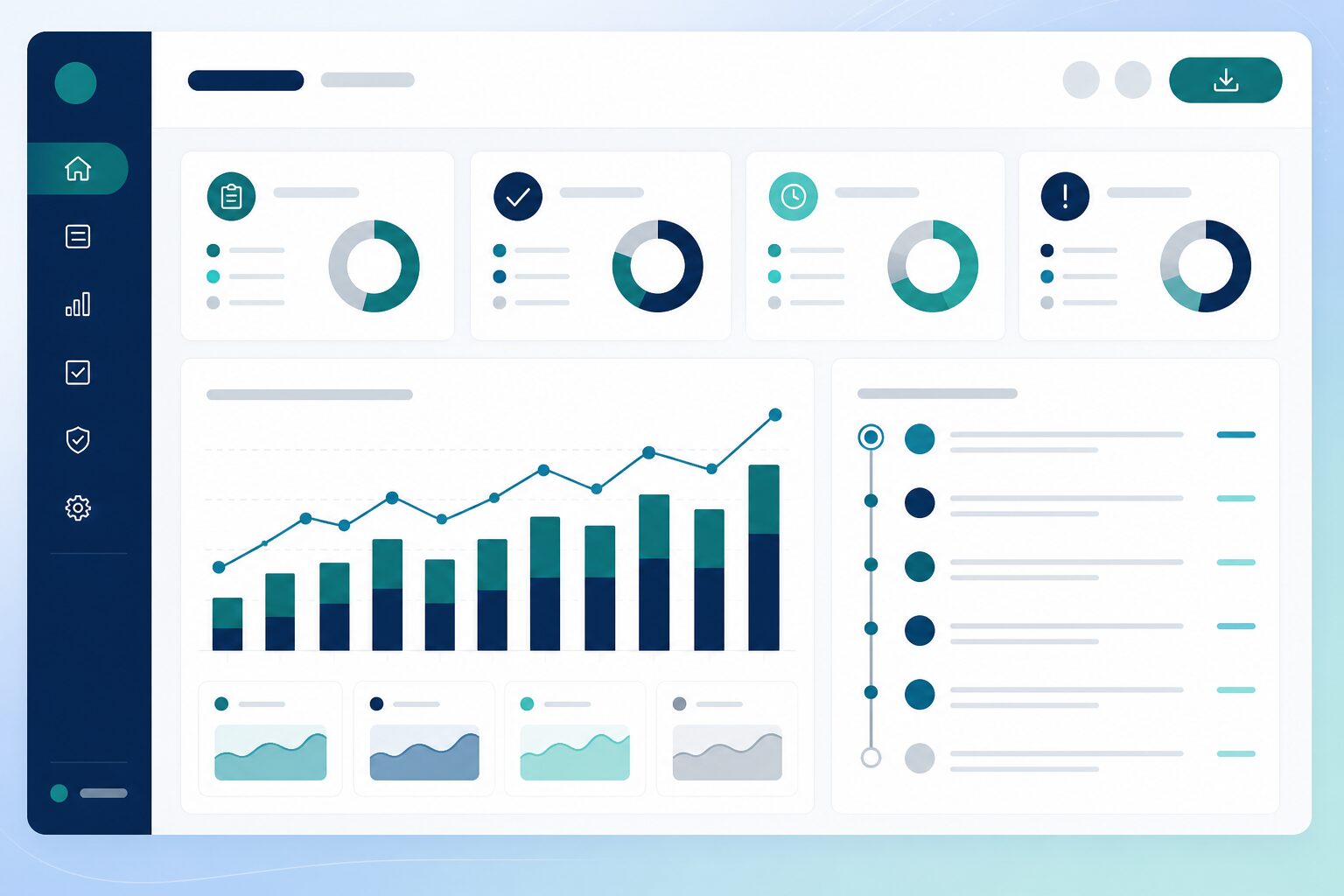
Marking reports and export dashboard
summarize

Reports, exports, and publishing results

Dashboards show progress and bottlenecks; export results to Excel or CSV; publish marks to students on the portal or a simple lookup when you enable that option.

  • Progress dashboards, heatmaps, and marker performance
  • Per-question analysis and CSV for question-based exams
  • Full exam export for the results office
  • Publish scores to the candidate portal or public lookup
Learn more arrow_forward
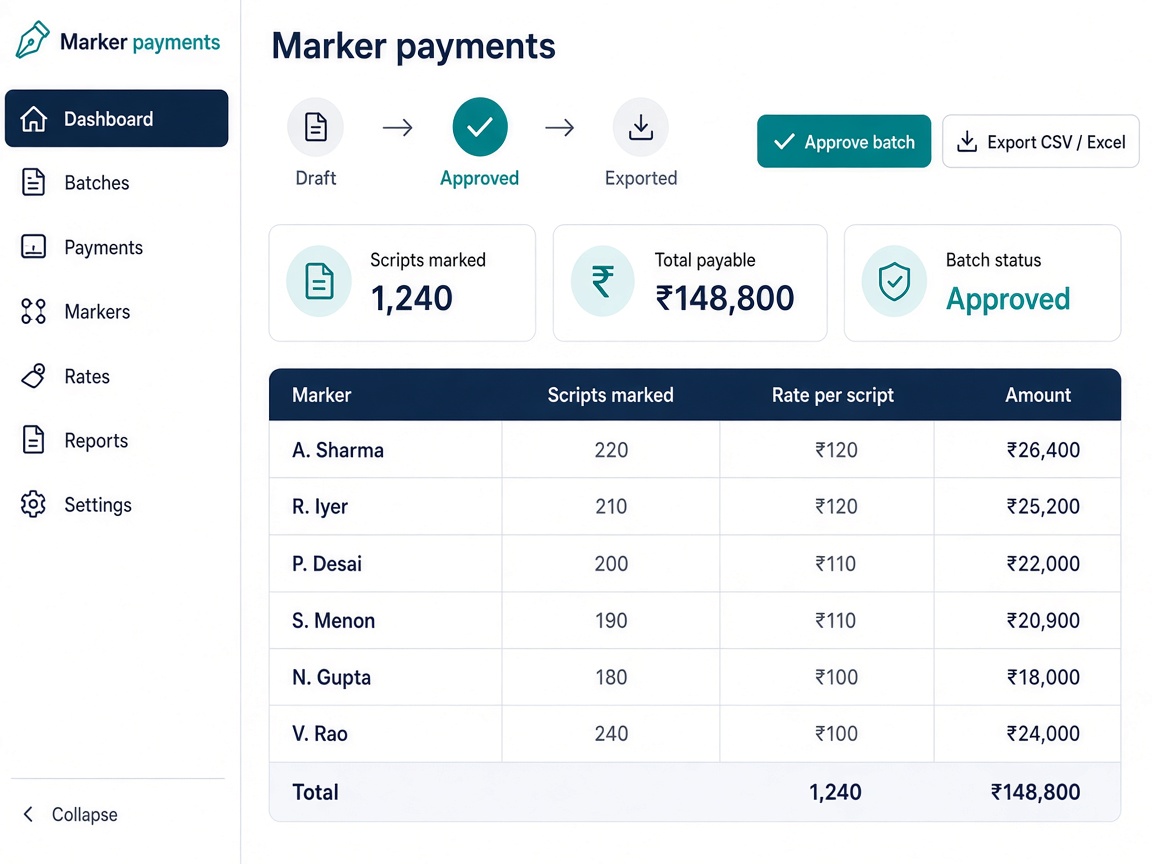
Marker payment batch showing scripts marked, rate, and amount per marker with approve and export buttons
payments

Pay markers from real completed work

Set pay rates per marker, preview totals before you pay, approve a payment batch, and export files for finance—based on scripts actually marked in the system.

  • Rates per marker on their profile
  • Preview pay for an exam before creating a run
  • Draft → approve → export CSV or Excel
  • Tied to completed scripts in Next OSM
Learn more arrow_forward
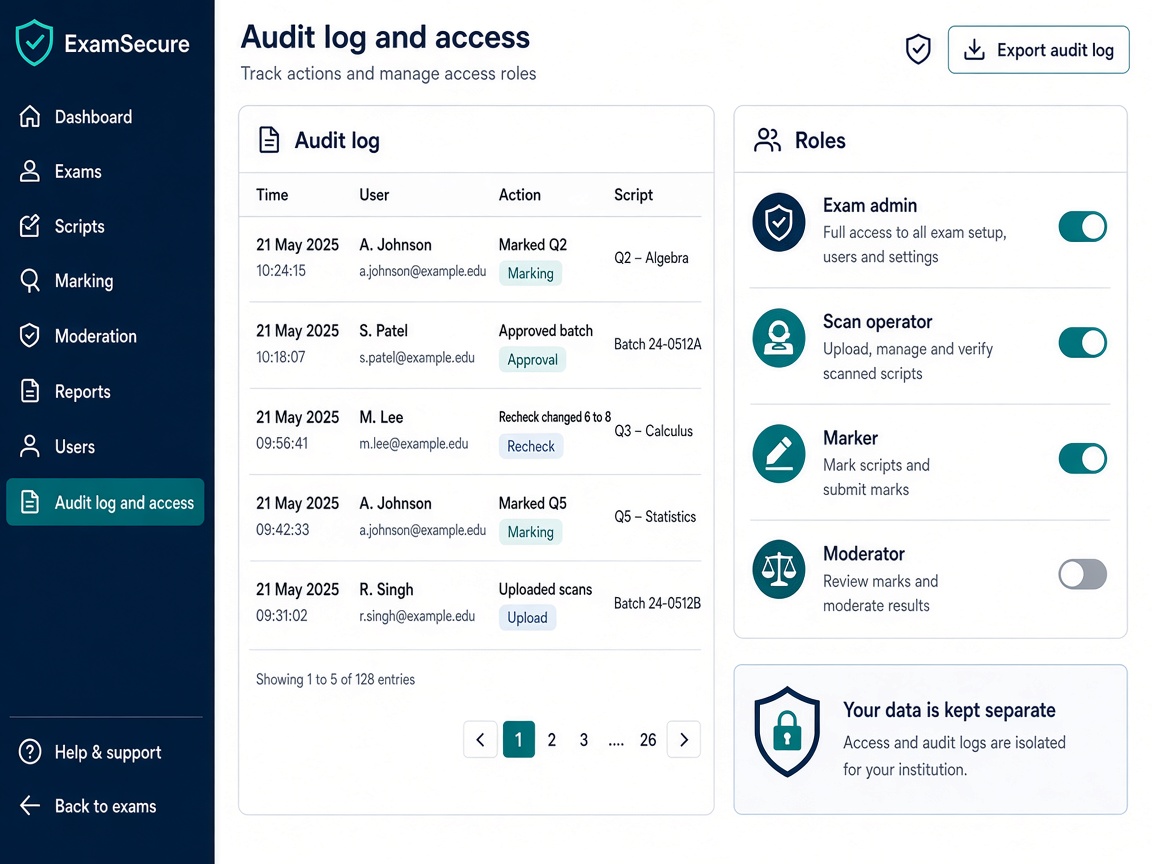
Audit log and role-based access screen
security

Keep data safe and every action recorded

Each customer's data is kept separate. People only see what their role allows, and an audit log shows who did what and when, including any change made in a recheck.

  • Each customer's data kept separate
  • Role-based access for admins, scan staff, markers, and moderators
  • Audit log for marking, approvals, and rechecks
  • Rechecks after results, with a full record of changes
Learn more arrow_forward

Built for exam offices and examiners

One system for the teams that receive papers and the people who mark them.

admin_panel_settings

For exam operations

  • settings

    Exam setup in one place

    Set up each exam, link to LMS tests when needed, manage candidates, and control when results may be published.

  • inventory_2

    Bundles and centers

    Track sealed packets across centers, barcodes, storage, and custody.

  • scanner

    Scan desk and quality

    Scan or upload batches, run the quality desk, and fix page issues before marking.

  • summarize

    Reports and exports

    Dashboards, Excel export, and optional online results for students.

edit_document

For markers and quality staff

  • assignment

    Clear work queues

    See assigned answer scripts by stage—first pass, review, or sign-off.

  • draw

    My Marking screen

    View pages on screen, add notes, enter marks per question or one total, save and continue later.

  • verified

    Fairness built in

    Pipelines, double marking, blind parallel reads, and moderation when marks disagree.

  • auto_awesome

    OCR and AI assist

    Read handwriting on screen; optional AI suggestions that examiners always accept, change, or reject.

Plans for your marking operation

Pricing depends on how many scripts you mark, how many centers you run, and which modules you need. Book a demo and we will recommend a setup for your exams.

done Bundle registration, receiving by scan, and booklet barcodes
done Batch upload or Scan Agent, then quality desk approval
done Candidate list import and linking booklets to students (if needed)
done Marking pipeline, assignment, and on-screen marking
done Moderation or blind marking (if relevant)
done Export results and student score view (if applicable)
done Marker payment preview (if finance joins)
done OCR and AI-flagged scripts for review (if relevant)

Book your Next OSM demo

Tell us how many answer scripts you mark, how many centers you use, and how you assign examiners today—we will walk through Next OSM for your process.

Submit below—we respond within one business day.

Ready to mark answer sheets on screen?

See how Next OSM helps you register packets, scan booklets, assign examiners, check quality, and publish results—with a clear record at every step.